
Issue is fixed in FLDT v.12.0.0
Applies to FlexLink Design Tool
Problem description
After pressing File->Print a pop-up window with an error message is displayed:
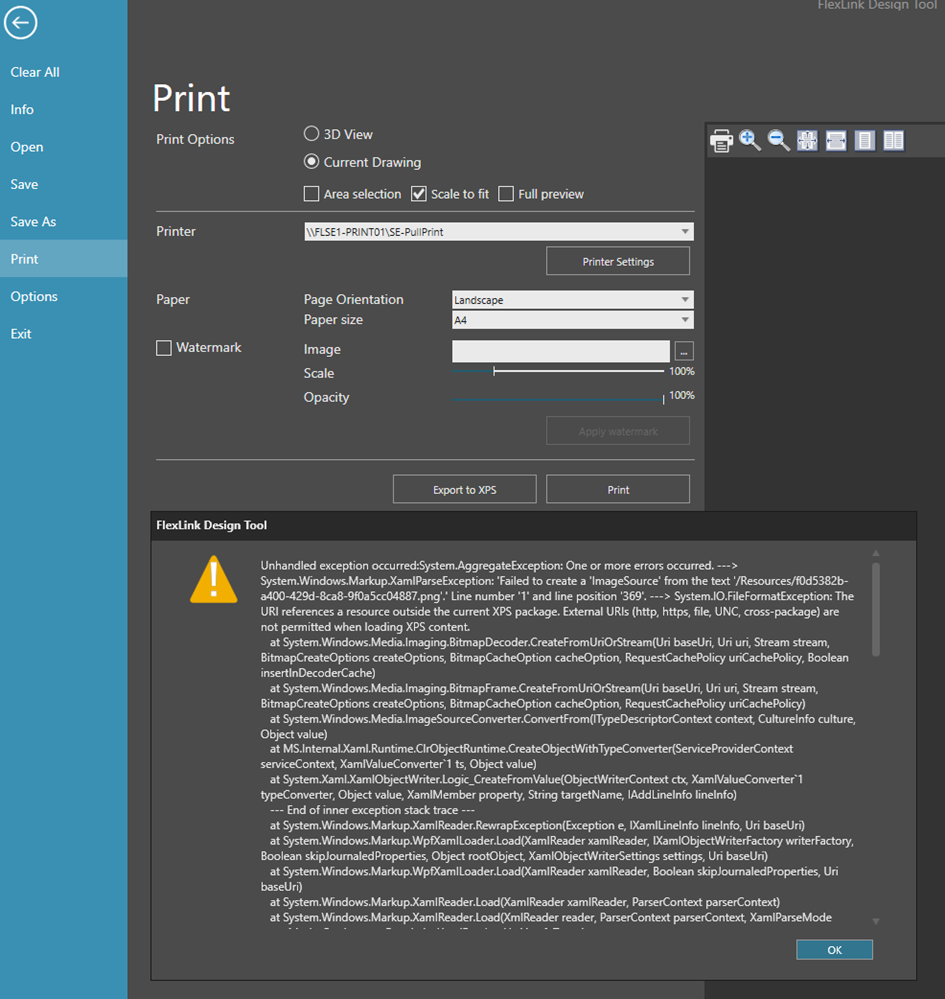
The cause behind this problem is a Windows security fix that was pushed out in August. All users with an updated Windows system are affected. These are the related Microsoft patches:
Windows 11 24H2 → KB5120710
Windows 11 25H2 → KB5120708
Windows 11 23H2 → KB5120713
Windows 10 .NET updates, including KB5120701/KB5120709
Workarounds
Preferred work around:
Export to DWG, import in a CAD tool and finally print (to PDF or paper)
3D-world:

Drawing:

Secondary alternative:
Create a ServiceNow ticket for IT support at https://coesiaprod.service-now.com/sp.The Windows patch will be un-installed temporary and will make it possible to print.
Note! Only for internal FlexLink users and urgent situations.
Long term solution
The Engineering Tools development team is working on finding a permanent solution and restore the print feature.