FlexLink tab
This component diverts products from one conveyor to another conveyor. It only diverts to plain (horizontal) bends and wheel bends. Allowed bends angles are 30, 45 and 60 degrees.
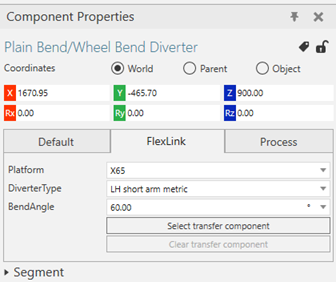
Before you connect the component you first choose platform, diverter type and bend angle in the Component Properties FlexLink tab:
You always snap the component to the straight, non diverging conveyor:
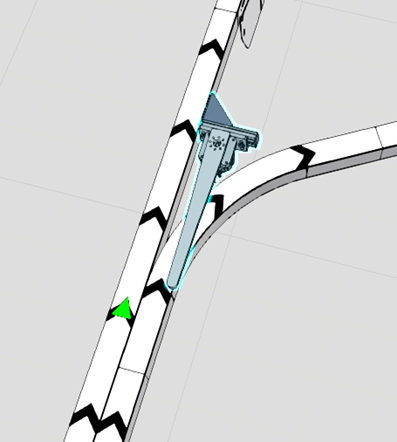
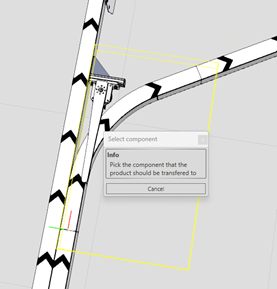
For a 60 degree configuration the next step is the choose the bend the product will be diverted to, by clicking on the “Select transfer component” and then choosing the bend:
For a 30 or 45 degree bend you will also get a Positioning choice, “On non diverting conveyor” or “On diverting conveyor”:
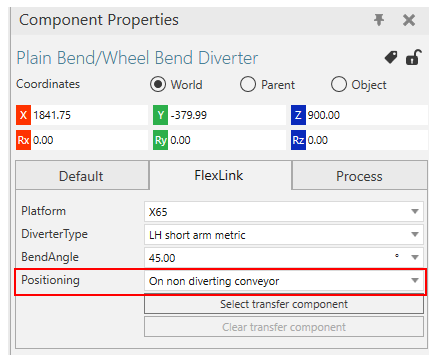
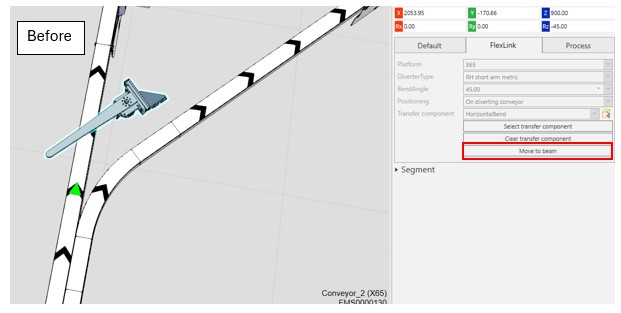
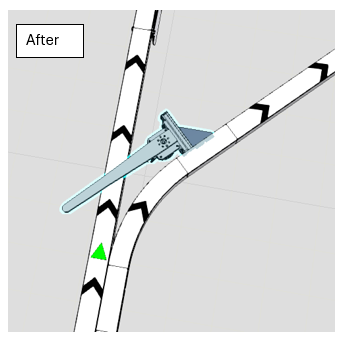
If you choose “On non diverting conveyor” you place and configure the component in the same way as for the 60 degrees configuration. If you choose “On diverting conveyor”, the first two steps are the same (positioning and choosing the bend component), but after these steps you can click on “Move to beam” and the component will automatically be placed on correct position towards the diverting conveyor:
Process tab
Here you can choose between 3 different modes for how to control the diverter during simulation:
- “TransferAll” diverts all products
- “TransferBasedOnID” diverts only products with the specified ID:s. The ID:s are set by the feeder component.
- “TransferBasedOnSignal” activate and deactivate the diverter by signal.
Good to know
After you have chosen the bend component by the “Select transfer component” button, the diverter component will automatically update its BendAngle property based on the bend angle of the bend component.
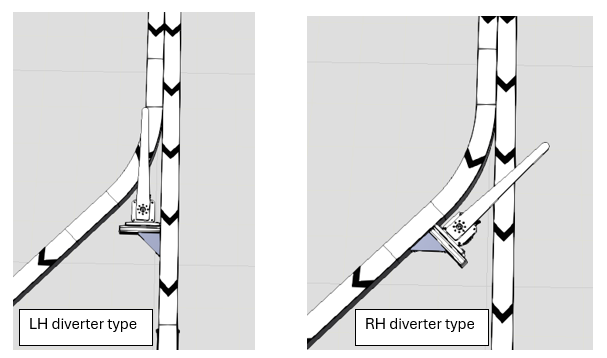
The DiverterType LH/RH property in defined by looking upstream from the conveyor it is attached to: